Sunflower Drawing Through Art, Printing
Sunflower Drawing Through Art, Printing, and AI
Arslan Khokhar
September 16, 2026
A sunflower drawing looks simple at first glance. A round center, yellow petals, a green stem and several leaves seem like enough. Once an artist studies the plant more closely, the subject becomes much richer. The flower head contains repeating seed patterns, overlapping florets, changing color values and an organic structure that rarely forms a perfect circle.
Sunflowers have long appeared in botanical illustration, classroom worksheets, greeting cards, wall prints, textile patterns, packaging and fine art. Vincent van Gogh made the subject famous in painting, yet illustrators, print designers and scientific researchers continue to find new uses for it. Artificial intelligence now adds another layer. Researchers can use computer vision to examine plant growth, classify sunflower varieties, measure petal formation and study signs of disease. Artists can use related findings to make drawings that are more believable and informative.
Learning the Structure of a Sunflower
Flower Head and Seed Pattern
The center of a sunflower is not one single object. It contains many tiny disk florets that mature into seeds. These florets often create spiral arrangements associated with Fibonacci number patterns. An artist does not need to count every spiral, but recognizing the pattern helps prevent the center from looking like random dots.
Begin with a lightly drawn oval rather than a rigid circle. The oval changes according to the viewing angle. A flower facing the viewer may appear nearly round. A tilted bloom becomes wider from side to side. Place curved guide lines across the center, then build small marks along those curves. The marks near the middle can be smaller and tighter. Those near the edge can grow larger and less regular.
This method give the center a sense of natural order without making it mechanical. It is very useful for botanical drawing, where visual information matters just as much as decorative beauty.
Petals, Stem and Leaves
Sunflower petals grow in several overlapping rows. Their length, bend and spacing are never fully identical. Drawing every petal with the same pointed shape can make the flower resemble a plastic badge.
Start with a few major petals at the top, bottom and sides. Add the remaining petals between them. Some can curl forward. Others can disappear behind another row. A few imperfect edges make the drawing feel really observed rather than copied from a symbol.
The stem should have weight. Mature sunflower stems are thick, slightly rough and able to support a heavy flower head. Leaves usually have broad shapes, visible veins and toothed edges. One leaf may fold, droop or turn away from the light. These small differences is what give the plant its character.
A Practical Sunflower Drawing Process
Step 1: Set the Main Shapes
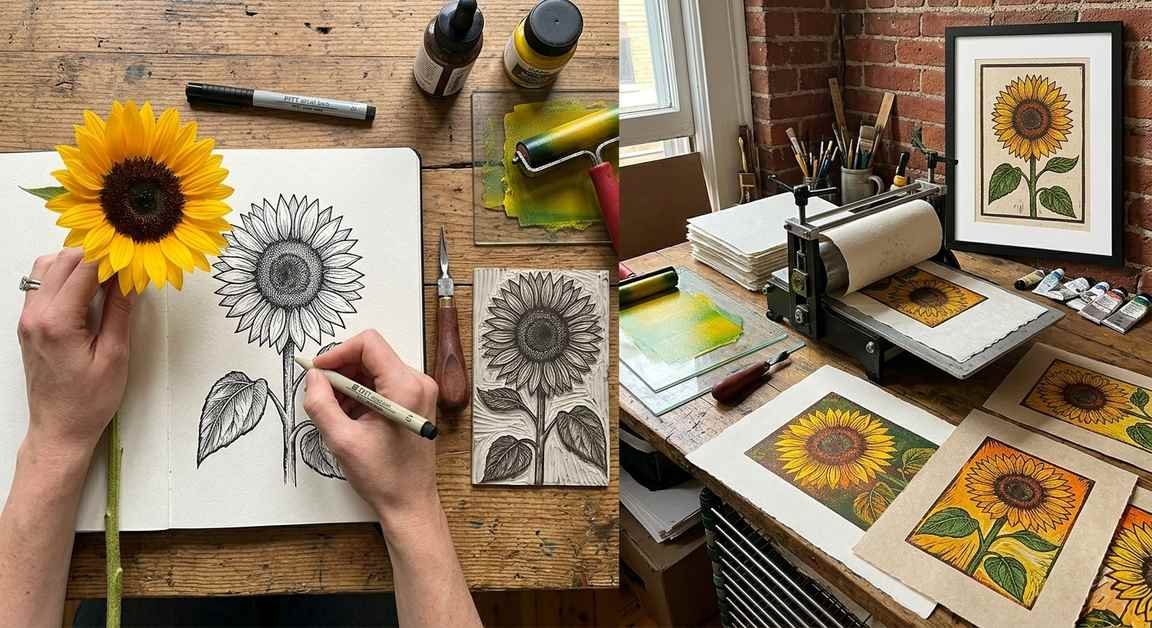
Use an HB graphite pencil to place the flower head, stem and largest leaves. Keep the pressure light. Check the relationship between the flower and the available paper space. If the bloom fills nearly the full page, it feels bold and decorative. A smaller flower surrounded by open space may feel scientific or calm.
Step 2: Build the Petal Layers
Draw the rear petals first and the front petals next. Let the bases disappear behind the central disk. Change their lengths and directions. Avoid making the gaps equal. Real flowers follows growth patterns, but those patterns still include variation.
Step 3: Develop the Center
Add curved rows of short marks, dots or tiny oval forms. Increase the contrast in selected areas rather than darkening everything equally. The outer ring may contain unopened florets, broken seed forms and soft shadows under the petals.
Step 4: Draw the Stem and Leaves
Use curved contour lines to show the stem as a round structure. Map the main vein of each leaf before adding smaller veins. Leaf veins should support the form, not become a flat road map laid across it.
Step 5: Add Light and Shadow
Select one light source. Petals facing that source stay lighter, and petals beneath the flower head become darker. Cast shadows can connect petals to the central disk. In colored pencil, layer yellow ochre, lemon yellow, warm brown and muted green. The color choices was dependent on the paper, lighting and intended print process.
Choosing Drawing Materials
Graphite and Charcoal
Graphite suits studies, instruction pages and monochrome art prints. Hard pencils such as H and HB help establish the form. Softer pencils such as 2B, 4B and 6B produce deeper shadows. Charcoal creates a more dramatic image, though fine seed details can be harder to control.
A kneaded eraser can lift highlights from the disk and leaves. It can be shaped into a small point, which make it useful for narrow areas. Fixative may reduce smudging before scanning, though artists should test it on spare paper.
Ink, Colored Pencil and Watercolor
Ink works well for coloring books, logos, editorial art and packaging. Sakura Pigma Micron pens and similar pigment liners can create thin veins and stronger outer contours. A varied line is often more natural than one uniform width.
Colored pencil supports gradual layering and detailed botanical studies. Brands such as Prismacolor, Faber Castell and Caran d’Ache serve different budgets and working methods. Watercolor adds soft color shifts across petals and leaves. Winsor and Newton, Daniel Smith and Holbein are familiar names in the art material industry.
A mixed media approach can combine ink outlines with watercolor washes. It sound easy, yet paper choice matters a lot. Thin office paper may buckle, and heavily textured paper may interrupt fine ink lines.
Artificial Intelligence in Scientific Research
Computer Vision and Plant Measurement
Artificial intelligence can analyze plant photographs and identify features that would take researchers many hours to measure by hand. Computer vision models may locate flower heads, estimate bloom size, count visible plants and detect changes across field images. Agricultural researchers can connect these measurements with soil conditions, temperature, water use and crop yield.
Institutions such as the United States Department of Agriculture, universities and commercial seed companies work with agricultural image data. Drone cameras, laboratory imaging systems and field photographs provide material for analysis. The data is useful, but it can contain lighting differences, hidden flowers and mislabeled samples. A model trained on one farm might not work equally well on another.
For an illustrator, these research images offer reference about real variation. One can sees how the flower changes during development, how leaves respond to drought and how disease affects color or shape. Scientific reference reduces reliance on the very perfect sunflower often seen in stock art.
Pattern Recognition in the Flower Center
Machine learning can help examine spiral arrangements and floret placement. Researchers may compare mathematical models with images from actual plants. The result can support studies of plant development, genetic variation and environmental stress.
Artists can borrow the observation method without copying research images directly. A drawing may suggest spiral order through grouped marks, curved rows and changing scale. This produces a center that feels convincing at normal viewing distance. It gives similar benefit again, since structured marks make the image believable and better organized.
AI Assisted Drawing Tools
Adobe Photoshop, Adobe Illustrator, Procreate and CorelDRAW are common tools for digital sunflower art. Some platforms include AI based selection, image completion, noise reduction or enlargement features. These functions can help isolate a scanned drawing, repair a damaged paper background or prepare several composition options.
The artist still needs judgment. Generated petals may merge, leaf veins may lead nowhere and seed patterns can lose biological logic. AI output should be checked against plant photographs or physical specimens. Scientific accuracy cannot be assumed just because an image look realistic.
Responsible use matters too. Artists should review licensing terms, avoid copying a living illustrator’s recognizable style and disclose generated content where a publisher or client requires it. Research teams must protect data quality and document how models were trained. These practices keep the work useful rather than confusing.
Preparing Sunflower Art for Printing
Scanning and File Setup
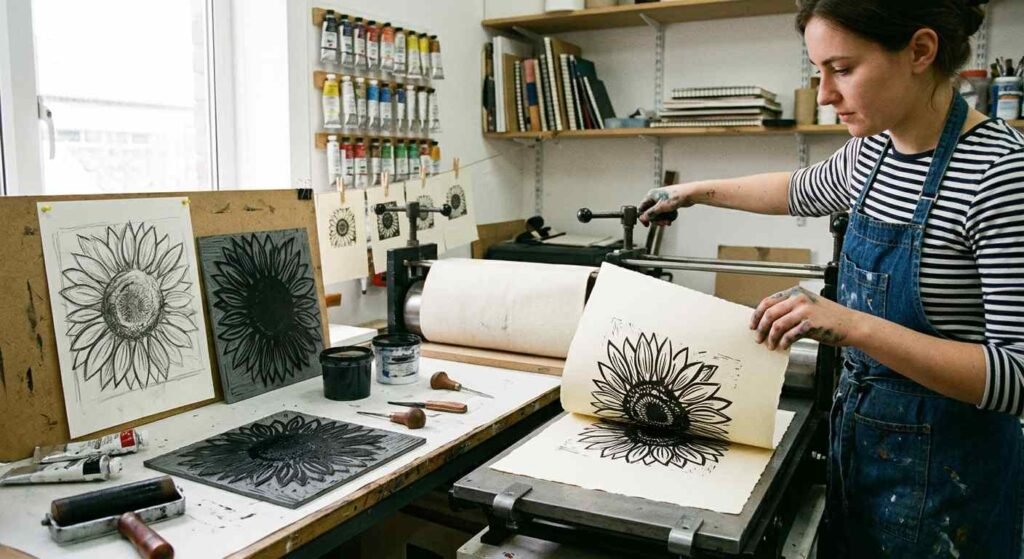
Scan line art at 600 dots per inch when small details need to be retained. Color artwork may be captured at 300 or 600 dots per inch, depending on final size and printer needs. Save an archival copy in TIFF or PSD format. JPEG is more suitable for previews and web display, since repeated saving can reduce image quality.
Remove dust, but do not erase every paper grain if texture supports the artwork. Set the final dimensions before sharpening. A postcard, art print and large poster all place different demands on the source image.
Color, Paper and Printer Choices
Screens usually display color with RGB light. Many commercial presses reproduce color with CMYK inks. Bright yellow and green may shift during conversion, so a printed proof is really valuable.
Epson, Canon and HP produce printers used by artists, studios and commercial businesses. Giclée printing with pigment ink is popular for art reproductions. Offset printing is cost effective for larger quantities such as cards, educational books and packaging.
Paper changes the final image in several ways:
- Matte paper reduces glare and supports a softer botanical appearance.
- Coated stock can show stronger color and small center details.
- Textured fine art paper gives a handmade surface, but tiny lines may be lost.
- Recycled paper supports some environmental goals, though its base color can change pale yellows.
- Archival cotton paper suits limited edition work expected to last for many years.
Request a proof before approving a full run. Check the yellows, dark center tones, fine outlines, margins and cropping. That small stage can save money and several headache.
Common Sunflower Drawing Mistakes
- Making every petal the same length and width.
- Treating the center as a flat brown circle.
- Drawing a stem that is too thin for the flower head.
- Adding leaf veins without following the curve of the leaf.
- Using bright yellow everywhere with no warm or cool variation.
- Enlarging a low resolution scan for a large print.
- Trusting AI generated plant anatomy without checking references.
Final Thoughts
Sunflower drawing connects observation, art materials, biology, printing and artificial intelligence in scientific research. A strong image begins with the plant’s real structure, then the artist chooses how much detail to preserve or simplify. AI can assist with image analysis, reference study and production tasks, but it does not replace visual judgment.
Whether the final work becomes a graphite study, children’s coloring page, gallery print or crop research graphic, the same idea remains. Look carefully, build the form patiently and test the printed result. The sunflower may be familiar, but it still offer plenty of room for science, creativity and a little human imperfection.
Questions and Answers
Is a sunflower hard to draw?
A basic sunflower is beginner friendly. A scientifically accurate study requires closer observation of florets, leaf attachment, stem texture and changing petal rows. Starting with large shapes makes the task less confusing.
How can a sunflower drawing look more realistic?
Use an angled oval for the head, overlap the petals, vary edge shapes and build the center in curved rows. Add one clear light source. Working from several plant photographs is better than relying on one idealized image.
Can AI create a complete sunflower illustration?
Yes, generative systems can create one, yet they may invent incorrect seed arrangements, extra leaves or impossible overlaps. Human review remain necessary for educational, botanical and commercial work.
What file format is best for printing?
TIFF or PSD is useful for an editable master image. PDF is common for sending final layouts to commercial printers. The printer should provide preferred color profile, bleed and resolution details.
Why does the printed yellow look different from the screen?
A monitor produces color with light, and a printer places ink on paper. Paper tone, ink set and color profile affect the result. A physical proof provides a more dependable preview.
Share It
Previous Post
Recent Posts